
- Fuera de stock
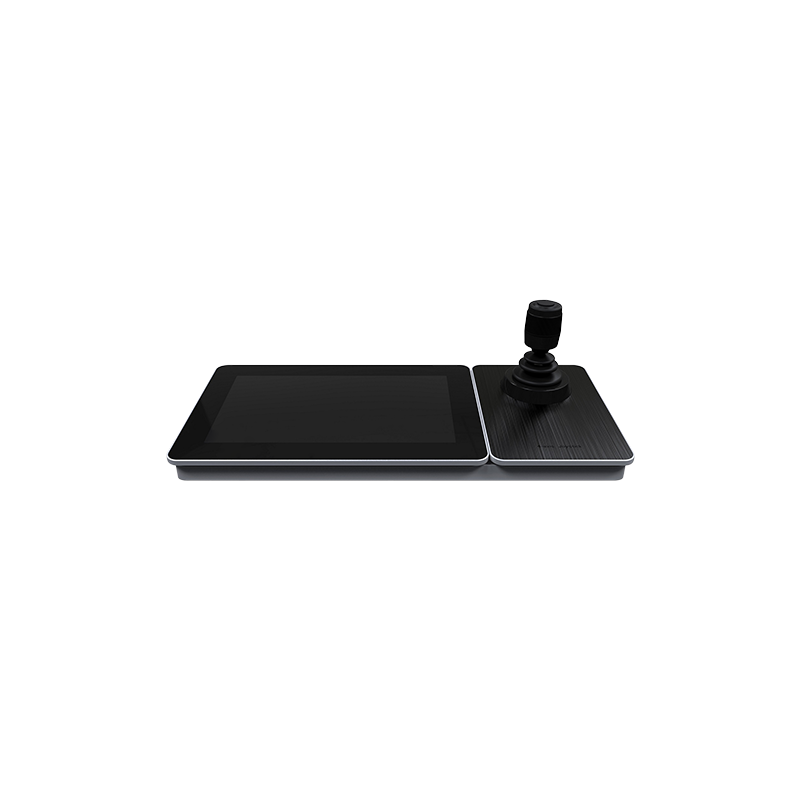
Marca Safire Modos de control DVR, Analog Dome, VMS y Analog Matrix Modo de comunicación RJ45, USB, puertos RS485, RS422 y RS232 Protocolos soportados Pelco P/D, Safire, Hikvision y otros Visualización LCD 10.1" TFT 1024x600 / Resolución Display 1080P / 720P / HD1 / BCIF / CIF / QCIF Grid en pantalla local Hasta 16 Interfaz de vídeo HDMI
 Security policy
(edit with the Customer Reassurance module)
 Delivery policy
(edit with the Customer Reassurance module)
 Return policy
(edit with the Customer Reassurance module)

Producto |
 SF-KB1600NT
|
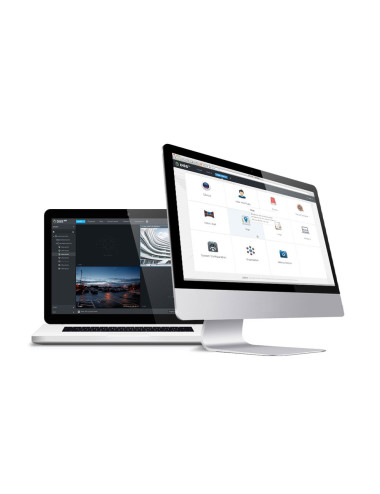 DSSPro-Base-License
|
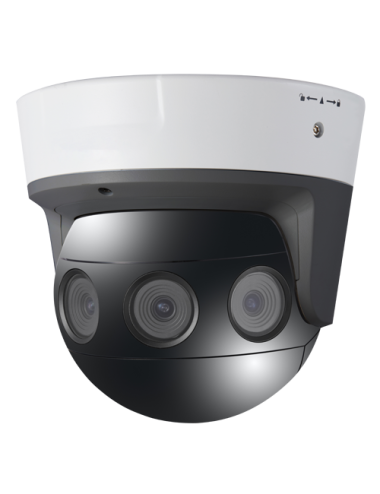 SF-IPPAN183HA-16Y
|
Availability |
|
|
|
Precio |
911,12 €
|
905,32 €
|
904,89 €
|
Descripción |
Marca Safire Modos de control DVR, Analog Dome, VMS y Analog Matrix Modo de comunicación RJ45, USB, puertos RS485, RS422 y RS232 Protocolos soportados Pelco P/D, Safire, Hikvision y otros Visualización LCD 10.1" TFT 1024x600 / Resolución Display 1080P / 720P / HD1 / BCIF / CIF / QCIF Grid en pantalla local Hasta 16 Interfaz de vídeo HDMI |
Licencia de Software DSS PRO de DAHUA. 64 canales de vídeo ampliables a 2000. 2 canales LPR ampliables a 64. 2 canales de reconocimiento facial ampliables a 64. 64 canales (puertas) de control de accesos, ampliables a 1024. 128 dispositivos de videoportero, ampliables. 8 dispositivos controladores de alarmas, ampliables. Hasta 100 canales POS. |
Cámara Panorámica IP 16 Mpx. 4 Lentes 1/1.8” Progressive Scan CMOS. Lente 2.8 mm. IR LEDs Alcance 20 m. Visión panorámica 180º. Función People Density |
| No hay características para comparar | |||
|
|
|
|
|
Marca Safire Modos de control DVR, Analog Dome, VMS y Analog Matrix Modo de comunicación RJ45, USB, puertos RS485, RS422 y RS232 Protocolos soportados Pelco P/D, Safire, Hikvision y otros Visualización LCD 10.1" TFT 1024x600 / Resolución Display 1080P / 720P / HD1 / BCIF / CIF / QCIF Grid en pantalla local Hasta 16 Interfaz de vídeo HDMI
Comentarios de producto